---
title: "Massive Workloads Call for Multiple Monitors - Get a Free Network Security Consultation in South Florida"
description: "A two-monitor display is twice as good as a single-monitor display. To make this work for you, understanding how to hook it up is important. Call us today to learn about our comprehensive IT Support, that can answer all types of computer-relations questions you, or those in your organization, may have."
url: "https://www.l7solutions.com/blog/massive-workloads-call-for-multiple-monitors"
date: "2026-06-19T23:28:35+00:00"
language: "en-GB"
---
## Get a Free Network Security Consultation in South Florida
Get a free network security consultation today from L7 Solutions. We are your partner for managed services & IT support in South Florida and beyond. Call today.
[ Categories ](https://www.l7solutions.com/blog/categories "Categories")
[ Tags ](https://www.l7solutions.com/blog/tags "Tags")
[ Categories: All Categories ](https://www.l7solutions.com/javascript:void(0); "Categories")
Search...Suggested keywords
[ x ](https://www.l7solutions.com/javascript:void(0);)
# Massive Workloads Call for Multiple Monitors
[IT Blog](https://www.l7solutions.com/blog/categories/it-blog)
[LSeven Solutions Admin](https://www.l7solutions.com/blog/blogger/l7-admin)
Friday, 18 April 2014
[ 0 Comments ](https://www.l7solutions.com/blog/massive-workloads-call-for-multiple-monitors#comments)
[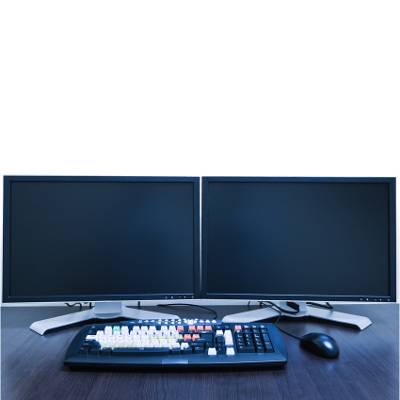](https://www.l7solutions.com/images/easyblog_images/4072/dual_monitors_400.jpg "dual_monitors_400.jpg")When life throws you for a loop and you are contracted with much more work than you are used to, perhaps it is time to upgrade your workstation. One of the simplest ways you can do this is by hooking up multiple monitors. With too many windows open, your desktop becomes cluttered and your workflow impeded. Stop getting lost in your work and hook up an extra screen today!
**Video Card? What's That?!**
The video card is what allows you to see images on your monitor, but not every computer's video card is the same. This affects whether or not you will be able use a dual monitor display. Rather than buying a bunch of monitors and finding out they are all useless, take the time to investigate exactly what kind of monitor you have. Grasp the monitor cord firmly in your hand and follow it to the back of your PC. You are looking for a second video port; it is required if you want to hook up extra monitors. Be careful not to mistake the Video Graphics Array (VGA), Digital Video Interface (DVI), or High-Definition Multimedia Interface (HDMI) ports for what you are really looking for. These other ports will usually be located to the right or left of the port your monitor is plugged into. You are looking for another port that looks just like that one.
Sometimes the port looks a little bit different. In the event that this happens, the ports are usually labeled for what they are intended. If it is indeed what you are looking for, fear not – you can purchase a converter which will enable your monitor to plug into just about anything. If you are ever unsure about what kind of converter you need, or if you need help ascertaining what kind of wire you'll need to make this work, contact COMPANYNAME. Our tech professionals are available to help with whatever technical needs you may have.
**Looks Are Deceiving**
You just found what you think is the perfect monitor to suit your needs, and you're getting ready to order it. However, how can you know that this monitor is really as great as you think it is? Screens ordered from discount websites or local stores are often riddled with not-so-obvious problems, such as dead pixels, low resolution, or poor color display. Don't be fooled by these cheap illusions – you want to make sure you get the most for what you are paying. COMPANYNAME can help you select and install the monitor which bests suits your needs for the best price.
**Fear Not the Horrors of the Past**
Once there was a dark time when installing a new monitor was our worst nightmare. New drivers had to be installed for cathode ray tube monitors (CRT), which is a fancy phrase for outdated, old monitors. Nowadays, PCs are equipped with a Plug and Play feature, which allows your computer to immediately recognize your new monitor, and it will work as soon as your PC boots up.
**Work *Your* Way!**
You're not quite done yet. Though you can certainly jump right into enjoying your new monitor, it is recommended that you accept Windows' cue to optimize your monitor settings to your liking. You can play with the power-saving settings, duplicate the main screen, extend the display across each monitor to create one big monitor, or disable particular screens. The secret to accessing these settings within Windows 8 is to swipe the cursor to the right side of the screen and bring up the Charms Bar. Click on **Devices - Second Screen - Select Your Second Screen Preference**.
With so many ways to customize your new multi-monitor lifestyle, you'll never work the same way again. With COMPANYNAME at your side, you will be able to select the most efficient monitor for your needs.
[ ](https://www.l7solutions.com/javascript:void(0);) [ ](https://www.l7solutions.com/javascript:void(0);) [ ](https://www.l7solutions.com/javascript:void(0);)
Tags:
[Productivity](https://www.l7solutions.com/blog/tags/productivity) [IT Solutions](https://www.l7solutions.com/blog/tags/it-solutions) [Display](https://www.l7solutions.com/blog/tags/display)
[ Signs Your Technology Might Be Older Than You ](https://www.l7solutions.com/blog/signs-your-technology-might-be-older-than-you)
[ The Heartbleed Fallout ](https://www.l7solutions.com/blog/the-heartbleed-fallout)
About the author
[  ](https://www.l7solutions.com/blog/blogger/l7-admin)
[LSeven Solutions Admin](https://www.l7solutions.com/blog/blogger/l7-admin)
[ ](https://www.l7solutions.com/javascript:void(0); "Subscribe to updates from author") [ ](https://www.l7solutions.com/javascript:void(0);) [ ](https://www.l7solutions.com/blog/blogger/l7-admin)
Welcome to LSeven's Blog! Here we will share useful tips and tricks for Computers and Information on Our IT Services!
Author's recent posts
[More posts from author](https://www.l7solutions.com/blog/blogger/l7-admin)
[ Tuesday, 30 June 2026 Stop Managing Metal, Start Managing People: A Guide to Hybrid IT ](https://www.l7solutions.com/blog/stop-managing-metal-start-managing-people-a-guide-to-hybrid-it)
[ Saturday, 27 June 2026 Free AI is Not Free: Why Public Tools Are a Security Risk ](https://www.l7solutions.com/blog/free-ai-is-not-free-why-public-tools-are-a-security-risk)
[ Thursday, 25 June 2026 Phishing is Getting Sophisticated: The New Threats Businesses Face ](https://www.l7solutions.com/blog/phishing-is-getting-sophisticated-the-new-threats-businesses-face)
Comments
No comments made yet. Be the first to submit a comment
**** Already Registered? [Login Here](https://www.l7solutions.com/component/users/login?return=aHR0cHM6Ly93d3cubDdzb2x1dGlvbnMuY29tL2Jsb2cvbWFzc2l2ZS13b3JrbG9hZHMtY2FsbC1mb3ItbXVsdGlwbGUtbW9uaXRvcnM=&Itemid=101)
Friday, 19 June 2026
Subscribe to the blog (Please fill in your email address to subscribe to updates from this post.)
**Captcha Image**
## Schema
```json
{
"@context": "https://schema.org",
"@type": "BreadcrumbList",
"itemListElement": [
{
"@type": "ListItem",
"position": 1,
"name": "Home",
"item": "https://www.l7solutions.com"
},
{
"@type": "ListItem",
"position": 2,
"name": "Blog",
"item": "https://www.l7solutions.com/blog"
},
{
"@type": "ListItem",
"position": 3,
"name": "LSeven Solutions Admin",
"item": "https://www.l7solutions.com/blog/blogger/l7-admin"
},
{
"@type": "ListItem",
"position": 4,
"name": "Massive Workloads Call for Multiple Monitors",
"item": "https://www.l7solutions.com/blog/massive-workloads-call-for-multiple-monitors"
}
]
}
```