---
title: "Tip of the Week: Extremely Useful Tips - Get a Free Network Security Consultation in South Florida"
description: "For this week’s tip, we provide some tips that you can use to better use Windows 10."
url: "https://www.l7solutions.com/blog/tip-of-the-week-extremely-useful-tips"
date: "2026-06-20T22:24:11+00:00"
language: "en-GB"
---
## Get a Free Network Security Consultation in South Florida
Get a free network security consultation today from L7 Solutions. We are your partner for managed services & IT support in South Florida and beyond. Call today.
[ Categories ](https://www.l7solutions.com/blog/categories "Categories")
[ Tags ](https://www.l7solutions.com/blog/tags "Tags")
[ Categories: All Categories ](https://www.l7solutions.com/javascript:void(0); "Categories")
Search...Suggested keywords
[ x ](https://www.l7solutions.com/javascript:void(0);)
# Tip of the Week: Extremely Useful Tips
[LSeven Solutions Blog](https://www.l7solutions.com/blog/categories/blog) [Tip of the Week](https://www.l7solutions.com/blog/categories/tip-of-the-week)
[LSeven Solutions Admin](https://www.l7solutions.com/blog/blogger/l7-admin)
Wednesday, 24 July 2019
[ 0 Comments ](https://www.l7solutions.com/blog/tip-of-the-week-extremely-useful-tips#comments)
[  ](//www.l7solutions.com/images/easyblog_shared/July_2019/7-24-19/116825800_tips_400.jpg "Tip of the Week: Extremely Useful Tips")
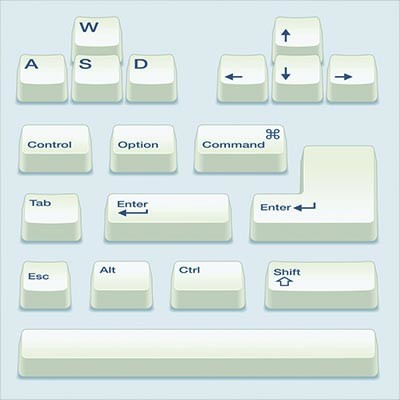
All Windows machines are capable of leveraging built-in shortcuts. While it might sound ludicrous, using keyboard shortcuts can eliminate the eight days that the average employee spends every year moving between the keyboard and mouse. Shocking, right? Keyboard shortcuts let you retake all of that lost time and use it to be more productive.
Here is a list of the most helpful shortcuts we could round up, though it’s certainly worth mentioning that there are countless keyboard shortcuts out there that you can leverage to your advantage.
## Rotate the Screen
This is more for the office prankster rather than for practical use, but we’ll share it all the same. You can rotate your screen by using the keyboard shortcut **Ctrl + Alt + Arrow Key**.
## Switch Between Windows
When you have to frequently switch between windows, you might find yourself wasting time getting lost in them. You can use the keyboard shortcut **Alt + Tab** to cycle through your layover window that displays all of the open windows and select the one you want to open. This is handy for when you want to see which windows you have open, as well as close any unneeded ones.
## Snap Windows
Windows gives users the ability to provide split-screen functionality simply by snapping application windows to the edges of the screen, dividing them equally. While it might be easy to click and drag them to the side, you can always use **Windows Key + Left/Right Arrow Key** to make the same thing happen. You can snap the window to a specific corner as well, dividing the screen into quarters, using the **Up/Down Arrow Key** immediately after the **Left/Right Arrow Key**.
When you’re ready to maximize a window again, using **Windows Key + Up Arrow Key** will do so.
## Quick Shutdown
Clicking through menus can slow things down, especially when all you want to do is shut down the computer or log out. Windows shortcuts let users take advantage of the Quick Access Menu with the Windows key. You can use **Windows Key + X** and any of the below keys to complete a variety of processes:
**U** - Shut Down
**I** - Sign Out
**R** - Restart
**H** - Hibernate
**S** - Sleep
## Create Your Own Desktop Keyboard Shortcut
If there isn’t a keyboard shortcut for your favorite folder or application, you can make your own. Right-click on the desktop icon and select **Properties**. You’ll see an empty field labeled **Shortcut key**. All you have to do is click to select the field and press your desired shortcut key. This will map your new shortcut to the following: **Ctrl + Alt + Whatever Key You Chose**.
What are some of your favorite keyboard shortcuts? Let us know in the comments, and be sure to subscribe for more great tips and tricks.
[ ](https://www.l7solutions.com/javascript:void(0);) [ ](https://www.l7solutions.com/javascript:void(0);) [ ](https://www.l7solutions.com/javascript:void(0);)
Tags:
[Computer](https://www.l7solutions.com/blog/tags/computer) [User Tips](https://www.l7solutions.com/blog/tags/user-tips) [Tip of the Week](https://www.l7solutions.com/blog/tags/tip-of-the-week)
[ How to Properly Train Your Staff to Avoid Phishing... ](https://www.l7solutions.com/blog/how-to-properly-train-your-staff-to-avoid-phishing-attacks)
[ It’s Time to Upgrade Away from Windows 7 ](https://www.l7solutions.com/blog/it-s-time-to-upgrade-away-from-windows-7)
About the author
[  ](https://www.l7solutions.com/blog/blogger/l7-admin)
[LSeven Solutions Admin](https://www.l7solutions.com/blog/blogger/l7-admin)
[ ](https://www.l7solutions.com/javascript:void(0); "Subscribe to updates from author") [ ](https://www.l7solutions.com/javascript:void(0);) [ ](https://www.l7solutions.com/blog/blogger/l7-admin)
Welcome to LSeven's Blog! Here we will share useful tips and tricks for Computers and Information on Our IT Services!
Author's recent posts
[More posts from author](https://www.l7solutions.com/blog/blogger/l7-admin)
[ Tuesday, 30 June 2026 Stop Managing Metal, Start Managing People: A Guide to Hybrid IT ](https://www.l7solutions.com/blog/stop-managing-metal-start-managing-people-a-guide-to-hybrid-it)
[ Saturday, 27 June 2026 Free AI is Not Free: Why Public Tools Are a Security Risk ](https://www.l7solutions.com/blog/free-ai-is-not-free-why-public-tools-are-a-security-risk)
[ Thursday, 25 June 2026 Phishing is Getting Sophisticated: The New Threats Businesses Face ](https://www.l7solutions.com/blog/phishing-is-getting-sophisticated-the-new-threats-businesses-face)
Comments
No comments made yet. Be the first to submit a comment
**** Already Registered? [Login Here](https://www.l7solutions.com/component/users/login?return=aHR0cHM6Ly93d3cubDdzb2x1dGlvbnMuY29tL2Jsb2cvdGlwLW9mLXRoZS13ZWVrLWV4dHJlbWVseS11c2VmdWwtdGlwcw==&Itemid=101)
Saturday, 20 June 2026
Subscribe to the blog (Please fill in your email address to subscribe to updates from this post.)
**Captcha Image**
## Schema
```json
{
"@context": "https://schema.org",
"@type": "BreadcrumbList",
"itemListElement": [
{
"@type": "ListItem",
"position": 1,
"name": "Home",
"item": "https://www.l7solutions.com"
},
{
"@type": "ListItem",
"position": 2,
"name": "Blog",
"item": "https://www.l7solutions.com/blog"
},
{
"@type": "ListItem",
"position": 3,
"name": "LSeven Solutions Admin",
"item": "https://www.l7solutions.com/blog/blogger/l7-admin"
},
{
"@type": "ListItem",
"position": 4,
"name": "Tip of the Week: Extremely Useful Tips",
"item": "https://www.l7solutions.com/blog/tip-of-the-week-extremely-useful-tips"
}
]
}
```