Have any question?
Text or Call (954) 573-1300

Text or Call (954) 573-1300


Computers allow businesses to do so much, but eventually a time comes to purchase new hardware. Thankfully, you can stave off this need pretty well by simply taking care of your existing technology. Here are some tips you can implement to make sure that your computer lasts as long as possible before it kicks the bucket.

Try as we might, we can’t prevent all computer issues from occurring—for instance, there’s not much that we can do if a stick of RAM dies, at least, not remotely. However, if you’re stuck with a broken computer and need to bring it in for repair work, there are a few things we recommend you do.

There is one key on the keyboard that might seem a little odd: PrtScn. It’s not immediately obvious what this key does or why you would want to use it, but we assure you that it is an extremely helpful keyboard shortcut once you understand how it works and why you might want to try it out. In reality, the PrtScn key (on some keyboards it might just be PrtSc) is important for taking screenshots on your Windows device.

Businesses go through a lot of technology, but how does your organization dispose of electronics that are no longer in use? Let’s discuss this incredibly important topic, as the improper disposal of devices could not only put your organization at risk, but also the environment.
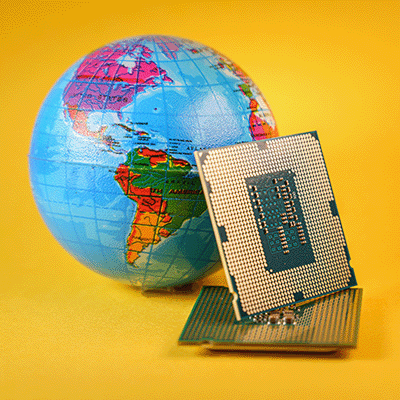
Using microprocessor-based technology is now a way of life for a majority of people, and with that a massive demand is created for these components. Unfortunately, demand—as well as the COVID-19 pandemic—has caused difficulties for many organizations’ supply chains, including microprocessors. Today, we will go through the microchip shortage, how it affects consumers and when experts project that it will subside.
Have you ever wondered how hackers manage to pull off incredible feats like bombarding networks and servers with so much traffic that they simply cannot function? None of this would be possible if not for botnets. But what is a botnet, and why is it important for your organization to understand? Let’s dive into the details.

Regular computer maintenance is part of maintaining healthy IT infrastructure, but one aspect that can often go by the wayside is keeping your computer physically clean. By this, we mean keeping it dust-free, clean and tidy. We’ve put together a shortlist of everyday actions that employees of any caliber can use to keep their workstations clean. This will help your organization take preventative measures over time and (hopefully) prolong the lifespan of your business’ technology.

With such a heavy focus on remote work over the past year or so, if you have tried to procure equipment or technology solutions during this period, you may have noticed that it is much harder than usual to do so. The global chip shortage has led to many challenges for organizations, chief among them getting the parts needed to put together critical technology solutions. This opens up a whole other set of issues, though, particularly in regards to disruption of the supply chain.

Windows has no shortage of capabilities to offer its users, with many of these tools coming with an associated Windows shortcut. Since keeping track of all of them can be a challenge, we wanted to assemble a list of most of them for you. This blog will serve as that list, so make sure you add it to your browser’s favorites for quick reference!

If you’ve ever used technology, the power button has had a pretty consistent appearance, and an even more consistent use. However, there’s a reason that the power symbol we’re so familiar with looks the way it does. Furthermore, there’s more that the power button can ultimately do.

Ever since Windows 10 debuted in July of 2015, it has slowly risen in its market share. This has continued throughout the tumultuous times that 2020 has provided, as the OS has now reached a market share of 72.2 percent as of October. Let’s go over why this matters, and why—if you haven’t done so yet—you need to add your organization’s PCs to that number.

It is no secret that a computer that doesn’t seem to want to behave (or seems to experience constant issues) is something that most people just want to replace, no questions asked. However, by nature of how computing devices are put together, it is entirely possible that your device could simply be in need of a (much less expensive) repair.
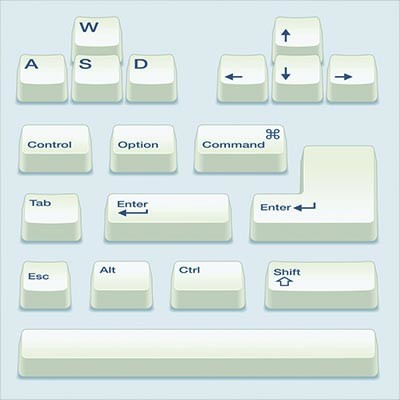
All Windows machines are capable of leveraging built-in shortcuts. While it might sound ludicrous, using keyboard shortcuts can eliminate the eight days that the average employee spends every year moving between the keyboard and mouse. Shocking, right? Keyboard shortcuts let you retake all of that lost time and use it to be more productive.

In parts one through four we talked about choosing the right specifications for your desktop, depending on its role. We talked about selecting the right CPU, RAM, storage, and display options. This final post we hit a few other tips and ideas we came up with that didn’t fit into the other posts.

Your new desktop isn’t going to do you much good if you don’t have a screen to plug into it. Let’s talk about considerations to make when purchasing a new desktop when it comes to your display.

We’re on to part three of our Desktop Buyer’s Guide. When comparing all of your options when shopping around for desktops, one of the main features you’ll see is how much storage they have. We’ve seen this with smartphones and tablets as well - you can buy an iPhone with 64 GB (gigabytes) of storage or 128 GB of storage, etc.

In part two of our desktop buying guide, we talk about one of the most confusing specifications you’ll see whenever you purchase a computer. We’re going to demystify memory, also referred to as RAM.

Are you looking to purchase a new desktop for your business (or for home)? We’ve put together this handy guide to help demystify the computer-buying process. This is the first part of five in our series, selecting the right CPU.

Nothing lasts forever; this phrase is true regardless of which industry you’re in or business you run. We all use technology in the office to a certain extent, and the ugly truth is that someday that technology will fail. It’s critical that you monitor technology for warning signs prior to its failure so as to avoid costly repair bills and rushed replacements. You might be surprised by how much you save as a result.

We all have our favorite websites to visit, as well as those we often have to visit to fulfill our responsibilities. As a result, it isn’t uncommon for us to try and access the same websites on both a desktop workstation and a mobile device, but some websites work better than others while trying this. This is because of something called responsive web design, which we’ll review below for our weekly Tech Term.
Learn more about what L7 Solutions can do for your business.
L7 Solutions
7890 Peters Road Building G102,
Plantation, Florida 33324